Monday-Friday : 9AM-6PM


Enter the IMEI of your Samsung G965A. this is how to find the IMEI number, type *#06# on the keys on your phone.
Enter your active email address so we can sent you your Samsung G965A unlock code after confirmation.
Select the country and network that your Samsung G965A is locked to and complete the order. A confirmation email will be sent to you after confirmation.
We will send the Samsung G965A unlock code to your email. Usually it is an 8 or 16 digit number and in some cases it may be a set of codes. All you need is the first, the NCK.
Insert the SIM card from another network provider and enter the Samsung G965A unlock code you received from us. And voila your phone is now unlocked!
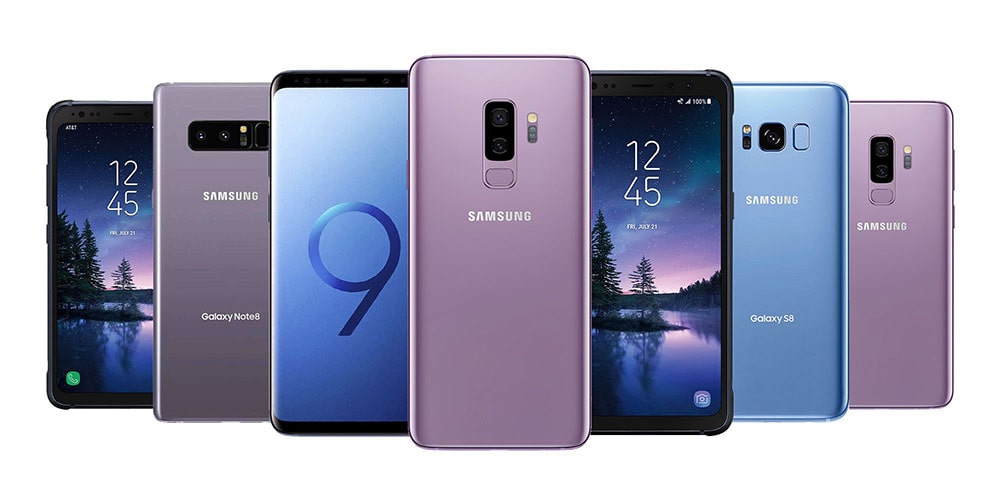
In many cases, when you buy a new Samsung G965A, it comes with an integrated SIM card in which a specific network service provider is connected. Many companies offer these devices at a reduced cost, but they want to lock you into a multi-year contract or other arrangement. Unlocking Samsung G965A will allow you to use your Samsung G965A with any mobile network provider around th world.
With an unlocked Samsung G965A, you have the huge advantage of being able to easily change your network provider and choose a better plan to meet your needs.
You can save hundreds of dollars when traveling abroad if you have an unlocked Samsung G965A. Just buy a local SIM card and start making calls at local rates, avoiding roaming charges.
Unlocked Samsung G965A tend to have higher resale price than locked one, so you can easily sell unlocked Samsung G965A with good amout of money.
IMEI unlocking service is the safest way to unlock your Samsung G965A because it uses genuine unlock codes from the manufacturer. No software, no opening of the case of your phone, no loss of warranty.
With all Samsung G965A unlock code commands, we usually deliver a complete set of unlock codes. Most of the time, you only need network code (NCK), but if necessary, you will also receive the unlock code, reset key, or service code. In the same email that includes your unlock code, you will also receive full instructions on how to use it. Usually, you only need to insert the SIM card into the phone you want to use and the phone will ask for the unlock code. In case you need help, our customer service is always there to answer your questions. We will answer you within 12 hours from Monday to Friday.
If your Samsung G965A is locked on a specific network, you will not be able to use it with a SIM card from another network. Network providers lock phones because they want you to take advantage of their services only, rather than switching to others when exciting offers arrive. You can unlock your Samsung G965A and use it on any reliable network and save significant costs.
With our phone network unlock service, it's so easy to unlock your Samsung G965A, you do not even need technical skills to do it. After receiving our confirmation e-mail with your Samsung G965A unlock codes, follow this step-by-step guide to guide you through the sim unlock process
Become a part of our loyal comunity and join more than 200k customers who have unlocked their phones at instant-unlock.com
Enter IMEI, country, and network provider that your Samsung G965A is locked. then confirm your order. your request will be processed and within a guaranteed delivery time, you will receive an email with unlock code and simple instructions on how to unlock your Samsung G965A.
Yes. Once you have unlocked your Samsung G965A with our fast unlockig service, you will not have to repeat the unlock process. Also ou can update the phone software normally and use it on any network carrier in the world.
The guaranteed delivery time depends on the country and the network provider which your Samsung G965A is locked to, but most times is immediately right after confirmation of your order. This delay, as well as the average delivery time for similar releases, will be displayed on the screen when you have completed the application form.
Yes, but keep in mind that unlocking your blacklisted Samsung G965A does not remove it from the blacklist. These are additional security measures that can only be removed by the network provider. The unscrambling instructions will work for a blacklisted phone, but for it to work properly, it must be removed from the blacklist.
No, we unlock Samsung G965A via IMEI. This unlocking method is recommended by the manufacturers themselves and does not damage the software or hardware of your phone.